How Does the $200 AI Retrofit Compare to China’s AI-Native Smart Terminals?


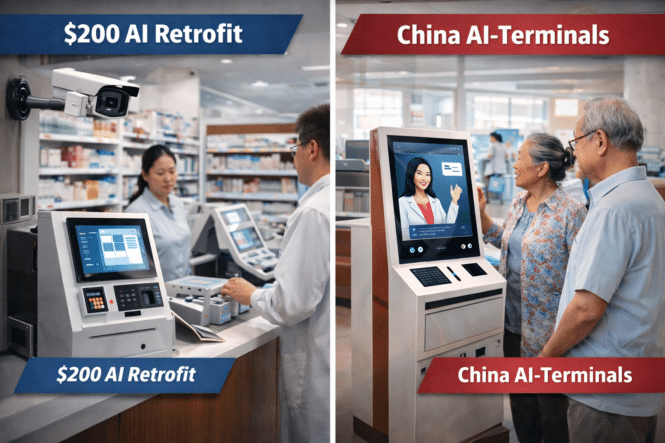
The “$200 AI Retrofit” strategy allows organizations to upgrade existing kiosks, cameras, and terminals with low-cost AI modules instead of replacing entire systems. In contrast, China is deploying AI-native smart terminals built from the ground up, integrating edge computing, sensors, and AI inference directly into new infrastructure.

Key Takeaway:
Retrofit AI enables gradual modernization, while China’s AI-native terminals represent a leapfrog approach to intelligent infrastructure.

Two Different Paths to AI Deployment

Across industries such as healthcare, retail, and transportation, organizations are searching for practical ways to deploy artificial intelligence at scale. However, the strategies used in Western markets often differ significantly from those emerging in China.

Technology ecosystems involving companies such as IntelNVIDIA, and the Self‑Service Industry Group have increasingly highlighted the concept of AI retrofitting—adding intelligent capabilities to existing devices.

Meanwhile, China’s national AI Plus initiative is accelerating the deployment of AI-native infrastructure, including intelligent kiosks, smart city terminals, and AI-enabled healthcare systems. According to recent policy reports, China’s core AI industry surpassed 1.2 trillion yuan in value in early 2026, reflecting a massive investment in next-generation digital infrastructure.

These two strategies represent fundamentally different approaches to the same challenge: how to scale AI across real-world systems.

Why Organizations Choose AI Retrofit vs AI-Native Systems

An AI retrofit is defined as the process of upgrading existing digital infrastructure with external AI modules, edge processors, or software overlays without replacing the original device.

For example, hospitals may add computer vision modules to existing patient kiosks, while retailers may attach AI edge devices to legacy self-checkout terminals.

By contrast, AI-native smart terminals are designed from the beginning with integrated AI capabilities, including GPU or NPU acceleration, sensors, and real-time analytics software.

Market Reality & Deployment Statistics

The global self-service technology market is experiencing rapid expansion as organizations integrate AI capabilities into kiosks and service terminals.

Recent industry projections indicate the following deployment scenarios:

Low adoption scenario:
20–25% of existing kiosks upgraded with AI retrofit modules by 2027.

Base scenario:
35–40% of self-service terminals incorporate AI edge processing.

High adoption scenario:

More than 50% of kiosks become AI-enabled devices across healthcare, retail, and transportation sectors.

At the same time, China is investing heavily in AI-native infrastructure, particularly in smart hospitals, intelligent retail environments, and urban digital services.

These deployments often involve entirely new generations of terminals capable of supporting computer vision, voice interaction, and biometric identification.

Implementation Checklist for AI-Enabled Terminals

Organizations planning AI integration typically evaluate several factors before choosing between retrofit and AI-native systems.

Key considerations include:

• Age of existing infrastructure
• Available capital expenditure budgets
• AI workload requirements
• Edge computing capabilities
• Data privacy and compliance standards

In mature markets with large installed bases of legacy devices, retrofit solutions often provide the fastest return on investment. In rapidly developing markets, however, deploying AI-native terminals may offer greater long-term scalability.

AI Terminals and Retrofit Technologies

What is an AI retrofit module?

An AI retrofit module is a compact edge computing device that adds artificial intelligence capabilities—such as computer vision or speech recognition—to existing kiosks or terminals.

How much does an AI retrofit typically cost?

Entry-level AI retrofit modules can cost around $200–$500 per device, depending on processing capability and sensor integration.

Why is China investing in AI-native terminals?

China’s AI Plus initiative emphasizes large-scale deployment of intelligent infrastructure, enabling industries to deploy AI-optimized hardware from the start.

Are retrofit solutions replacing traditional kiosks?

No. Retrofit solutions extend the lifespan of existing kiosks, while AI-native terminals represent the next generation of self-service infrastructure.

Conclusion

The global transition toward AI-enabled infrastructure is unfolding through two parallel strategies. The retrofit approach enables organizations to modernize existing systems at lower cost, while the AI-native model focuses on building entirely new intelligent platforms.

Together, these approaches illustrate how industries can move toward large-scale AI adoption while balancing efficiency, cost, and technological innovation.

StarVision Introduction

starvision hero

Whiteboards, Digital Signage and Kiosks – Profile

We work with Elena at StarVision and here is a profile.

It’s a pleasure to connect with you. My name is Elena, and we are a Chinese manufacturer of self-service terminals and interactive whiteboards. Following our interaction on LinkedIn, please find our company profile and product information in the attachment
Yours sincerely,
Elena
whatapp:86-13425195340
Shenzhen Star Vision Technology Co.,Ltd.

Here is a concise executive summary of the StarVision catalog you uploaded:


StarVision – Company & Product Summary

StarVision (Shenzhen Star Vision Technology Co., Ltd.) is a Chinese manufacturer founded in 2014 specializing in digital signage, interactive displays, and self-service kiosks. The company handles R&D, design, manufacturing, and sales of display and kiosk hardware used in commercial, educational, and public environments.

star vision catalog

Company Overview

  • Headquarters: Shenzhen, China

  • Manufacturing: Dongguan facility

  • Factory size: ~10,000 with dust-free production areas

  • Engineering: 20+ engineers/technicians

  • Experience: ~10 years in display manufacturing

  • Global reach: Products used by 1,000+ brands worldwide

    star vision catalog

The company emphasizes OEM/ODM manufacturing, allowing customers to rebrand or customize hardware designs.


Product Portfolio

1. Digital Signage Displays

  • Wall-mounted displays

  • Floor-standing displays

Typical specs:

  • Sizes: 32″–85″

  • Android 11 platform

  • 4K UHD support

  • Capacitive or infrared touch

  • Built-in speakers

  • Ethernet / Wi-Fi connectivity

  • Includes CMS (Content Management System).

    star vision catalog

Used mainly for:

  • Retail advertising

  • malls

  • public spaces

  • corporate communications


2. Interactive Flat Panels

Large interactive displays for education and corporate meetings.

Key specs:

  • Sizes: 65″–110″

  • Android 14 platform

  • 20-point touch

  • Built-in camera and microphone

  • 4K display

  • Wireless networking and front I/O ports.

    star vision catalog

Typical markets:

  • classrooms

  • meeting rooms

  • collaboration environments


3. Self-Service / Ordering Kiosks

Compact kiosk systems designed for retail or food ordering.

Key specs:

  • Screen sizes: 15.6″ – 32″

  • Windows OS

  • Capacitive touch

  • Connectivity: USB, HDMI, Ethernet

  • Optional modules:

    • thermal printer

    • QR scanner

    • NFC

    • camera.

      star vision catalog

These resemble standard QSR self-order kiosks.


4. Specialty Hardware

Additional devices include:

  • Mobile stand TVs

  • Livestream broadcasting kiosks

  • Smart interactive blackboards for education.

    star vision catalog


Manufacturing & Quality

StarVision promotes a structured quality control process, including:

Testing:

  • vibration tests

  • high-temperature aging

  • humidity testing

  • drop tests

  • functional verification

Production capacity includes large format LCD backlight units (55″–110″) with high monthly volume capability.

star vision catalog


Target Industries

Products are marketed to multiple sectors including:

  • Education and training

  • Retail and shopping malls

  • Financial institutions

  • Medical consultation

  • Exhibitions and conferences

  • Corporate meetings

  • Real estate and design visualization.

    star vision catalog


Key Positioning

StarVision positions itself as a cost-effective OEM/ODM hardware manufacturer with:

  • large factory capacity

  • strong R&D and patent portfolio

  • flexible customization

  • global distribution partnerships.

    star vision catalog


Bottom line:
StarVision is a typical Shenzhen display OEM producing digital signage, interactive displays, and small self-service kiosks, primarily aimed at white-label or partner branding for global distributors and system integrators.

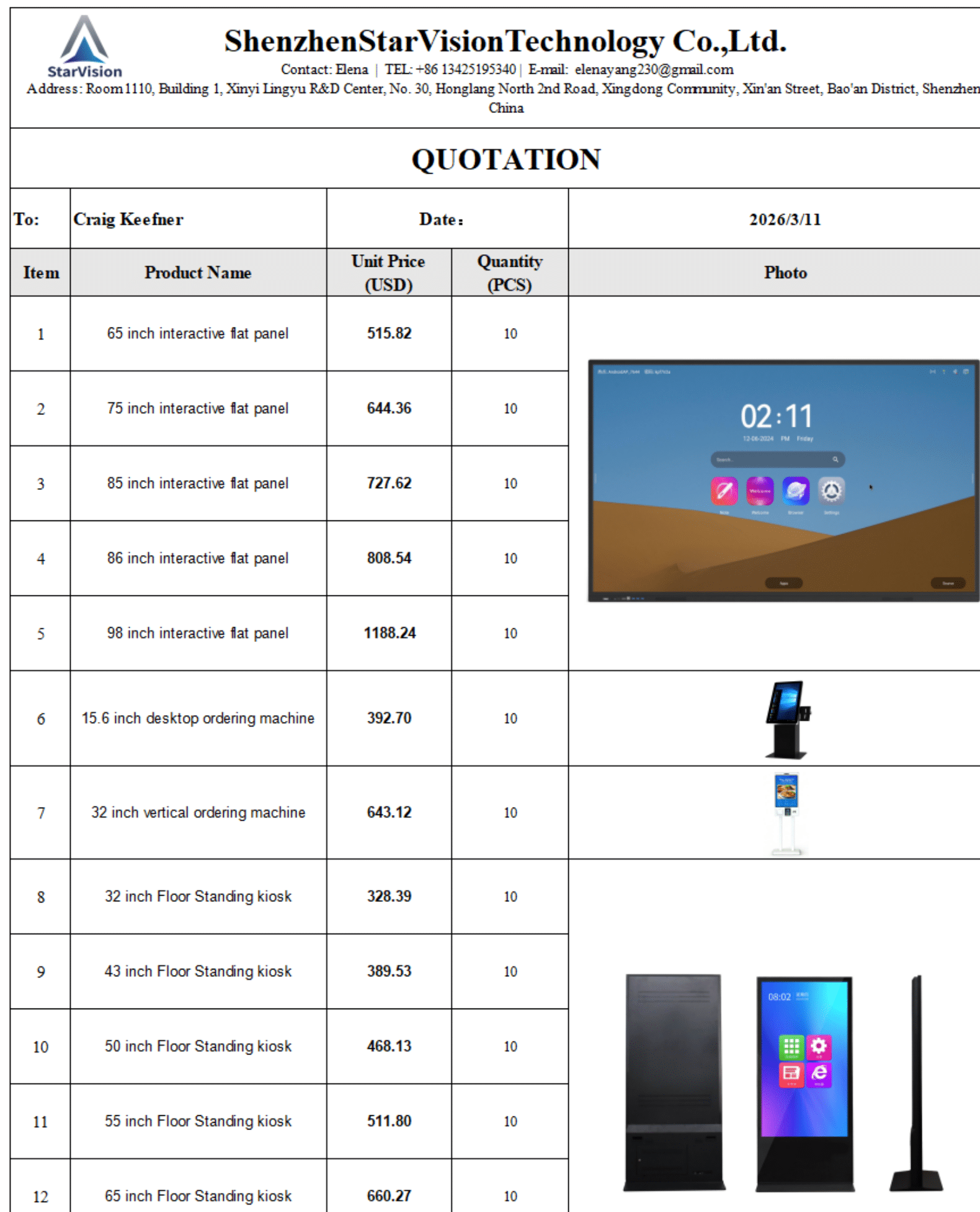
Sample Quote

starvision sample quote

starvision sample quote


News Posts

asia kiosk selfservice kiosk news

Posts for Kiosk Asia

  • Interactive Digital Software by Sitekiosk
    identity integration (Keycloak), accessibility hardware, power/device control, and a more ...
  • Facial Recognition Buyer’s Guide and Executive Checklist
    https://kioskindustry.org/facial-recognition-kiosk-hardware-a-buyers-guide/ Executive Checklist Architecture & Data Ownership ☐ Edge vs Cloud vs Hybrid clearly defined ☐ Biometric templates stored where? (device / on-prem / cloud) ☐ Data ownership contractually assigned (not vendor-controlled) ☐ Retention + deletion policies documented Regulatory & Compliance ☐ BIPA (Illinois), GDPR (EU), and regional laws evaluated ☐ Explicit consent / opt-in workflows implemented ☐ Audit trail + logging enabled ☐ Accessibility (ADA / EN 301 549 / EAA) considered Accuracy & Performance ☐ FAR (False Accept Rate) meets use case threshold ☐ FRR (False Reject Rate) acceptable for throughput ☐ Performance validated across lighting / demographics ☐ Mask / occlusion handling tested FAR (False Accept Rate): Probability that the system incorrectly matches an unauthorized person.FRR (False Reject Rate): Probability that the system rejects an authorized user. Throughput & Operations ☐ Transactions per minute benchmarked ☐ Average authentication time measured ☐ Queue impact modeled for peak usage ☐ Fallback flow defined (QR / PIN / staff assist) Security & Spoofing Protection ☐ Liveness detection (active/passive) ☐ Anti-spoofing certified (ISO/IEC 30107 or equivalent) ☐ Protection against replay / deepfake attacks ☐ Hardware root of trust (TPM 2.0 / secure enclave) ☐ Measured boot / remote attestation capability ☐ Full disk + biometric template encryption Liveness Detection: Techniques used to verify a real, live person is present (not a photo, video, or deepfake). 5A.Trusted Platform Security. ☐ TPM 2.0 or equivalent hardware root of trust present ☐ Secure boot chain enforced ☐ Remote device attestation supported ☐ Key storage isolated from OS (no software-only keys) ☐ Compliance with enterprise endpoint security policies Hardware & Environment ☐ Camera quality aligned with use case (not consumer-grade) ☐ Lighting conditions validated (indoor/outdoor) ☐ ADA height and reach compliance ☐ Environmental durability (heat, glare, vandalism) Edge AI Strategy ☐ On-device inference for latency/privacy ☐ Offline capability (network failure scenarios) ☐ AI model update strategy defined ☐ Compute platform lifecycle (5–7 years) validated Integration Stack ☐ IAM / identity platform integration ☐ POS / payments (face-pay?) integration ☐ EHR (healthcare) or enterprise backend integration ☐ API-first architecture IAM (Identity and Access Management): Enterprise system that manages user identities, authentication, and authorization. API (Application Programming Interface): Interface that allows the kiosk to integrate with backend systems such as payments, identity, or healthcare records. User Adoption & UX ☐ Enrollment friction minimized ☐ Clear user consent messaging ☐ Multi-modal fallback (don’t force biometrics) ☐ Cultural acceptance evaluated by region 10.Total Cost of Ownership. ☐ Hardware tiers (camera + compute) defined ☐ Licensing model (per user / per transaction) understood ☐ Maintenance + recalibration costs included ☐ Upgrade / obsolescence risk modeled 11.Europe. What changes vs your checklist: Consent is mandatory (opt-in, not implied) Data minimization required (no “collect everything”) Storage scrutiny (cross-border data transfer issues) Auditability required (who accessed biometric data?) ☐ GDPR lawful basis defined ☐ Data Protection Impact Assessment (DPIA) completed ☐ Right-to-delete workflow implemented ☐ Accessibility compliance enforced (ADA / EN 301 549 / EAA) 12.Asia. What changes: Facial recognition is often default UX, not optional Massive installed base + user familiarity Strong integration with payments + identity ecosystems Government influence on standards and deployment Add to checklist: ☐ Face-pay integration (Alipay / WeChat Pay ecosystems) ☐ High-throughput optimization (sub-second auth) ☐ Ecosystem compatibility (super apps / national ID) ☐ Localization for dense urban environments 13.Japan & Korea. More balanced: Higher privacy sensitivity than China Strong tech adoption but controlled rollout Retail + transit leading use cases Add: ☐ Hybrid auth (face + card/mobile) ☐ Cultural UX sensitivity (non-intrusive flows) 14. LATAM Region. What changes: Biometrics used for fraud reduction + identity verification Infrastructure variability (network, lighting, maintenance) Regulations exist (e.g., Brazil LGPD) but less uniformly enforced Add to checklist: ☐ Offline capability (critical) ☐ Fraud / identity verification focus ☐ Environmental hardening (heat, dust, glare) ☐ Network resilience planning 15.Regional Deployment Overlay. ☐ Regulatory model (strict / moderate / permissive) ☐ Default UX (opt-in vs default-on) ☐ Identity ecosystem (isolated vs integrated) ☐ Network dependency level ☐ Cultural acceptance level Definitions Key Terms and Acronyms TPM FAR / FRR Edge AI IAM GDPR / BIPA / LGPD Trusted Platform Module (TPM) is a hardware-based security component embedded in a kiosk’s compute platform that establishes a root of trust for the entire system. In facial recognition kiosks, TPM securely stores cryptographic keys, verifies system integrity during boot (secure/measured boot), and enables device authentication and remote attestation, ensuring that biometric data and identity transactions are processed on a trusted, untampered device. GDPR: EU data protection regulation governing personal data and biometrics BIPA: Illinois law regulating biometric data collection and use LGPD: Brazil’s data protection law similar to GDPR ISO/IEC 30107 ISO/IEC 30107: International standard for biometric presentation attack detection (anti-spoofing). FIDO (Fast Identity Online): Passwordless authentication standard PKI (Public Key Infrastructure): Framework for managing encryption keys and certificates NIST: U.S. standards body influencing biometric and security guidelines More Resources Edge AI – Curated hub that explores how edge AI, computer vision, and conversational interfaces are transforming self-service kiosks by improving performance, privacy, and real-time user interaction across industries. FAQ – What is a kiosk? Comprehensive, experience-driven knowledge base that answers practical questions on planning, deploying, securing, and optimizing self-service kiosks across industries like retail, QSR, and healthcare. Standards and Regulations — includes EAA checklist for 2026 2026 Compliance Architecture Framework for Self-Service — moving to mandate from recommendation More Interactive Digital Software by Sitekiosk Facial Recognition Kiosk Hardware: ...
  • Intel Core Ultra Series 3 with Intel vPro
    Powers Next Generation of Commercial PCs Built on Intel 18A March ...
  • NRA National Restaurant Show
    National Restaurant Show — See Association of Kiosk Manufacturers The National Restaurant Association Show returns to Chicago from May 16–19, 2026, bringing together the full spectrum of foodservice innovation—from global brands to emerging technology providers shaping the future of hospitality. Held at McCormick Place, the event serves as a central hub for operators, IT leaders, and solution providers focused on improving efficiency, customer experience, and profitability. Visit Booth 5829 in the North Building to explore the latest in self-service kiosks, digital ordering, contactless engagement, and edge-powered restaurant technology designed to meet the evolving demands of modern foodservice environments. What and Where To See Floorplan Registration Schedule What To See in our booth Vispero — accessibility for quick serve restaurants and self-order kiosks Pyramid Computer – Kiosks — two different self-order kiosks Set up a Meeting text 720-324-1837 whatsapp or wechat — (
  • CareU service simulates everyday kiosk environments to help seniors gain confidence
    LG Electronics Launches Kiosk Practice Service for Seniors on TV It’s significant because it treats kiosk literacy for seniors as a mainstream “home appliance” feature, not a niche training program, and it fits into a broader accessibility and aging‑society strategy for LG and for Korea. Why this matters strategically It acknowledges kiosks as basic infrastructure. When only 17.9% of Koreans 65+ say they can use kiosks for ordering/registration, they are effectively excluded from a big chunk of everyday commerce. Turning kiosk training into a TV app reframes it as essential life‑skills support, like remote health or medication reminders. It extends LG’s senior platform. Easy TV was already a senior‑focused product with simpler UI, larger fonts, and services like LG Buddy for remote family support and reminders. Adding kiosk practice and brain‑health games deepens that ecosystem rather than being a one‑off feature. Implications for kiosks and self‑service It directly addresses the “fear and friction” barrier. Seniors can rehearse kiosk flows (burger QSR, café, food court) end‑to‑end—from item selection through payment—without time pressure, queues, or social embarrassment. That’s the biggest psychological blocker in real stores. It builds a training channel retailers don’t control. Instead of retailers installing special training kiosks, training moves upstream into the home; in theory, chains could later co‑design TV scenarios that match their own UIs. This opens a new B2B content/partnership angle for LG. Business and market angle It differentiates LG in an aging‑market race. South Korea, Japan, the US, and EU are all dealing with rapidly aging populations; LG has already said Easy TV is intended for export to those markets. Kiosk training plus brain games and Buddy give LG a clearer senior‑lifestyle value proposition than “just a simpler TV.” It complements LG’s own kiosk hardware strategy. LG is promoting more accessible kiosk designs (larger touch targets, better UX, etc.). Teaching seniors kiosk mental models at home makes it more likely that LG‑style kiosk UX conventions become the default “learned” pattern in the population. Policy and accessibility significance It aligns with government concern over the digital divide. Korea has already been running kiosk‑training programs through senior centers because older adults struggle with digital self‑service in a “contact‑free” culture. By quantifying the gap (only 17.9% confident users) and productizing a response in a mass‑market TV, LG positions itself as a private‑sector partner in digital inclusion. It normalizes “practice mode” as part of UX. If this model spreads, you could see kiosk “simulator” apps on TVs, tablets, and phones become an expected accessibility feature, similar to screen readers or high‑contrast modes today. From our kiosk‑industry lens, the interesting question is whether large QSR/retail brands will start co‑developing LG‑style at‑home training experiences that mirror their own flows—do you see clients being willing to invest in that kind of pre‑store training content? From Chosun March 2026 A service has been launched allowing seniors to practice using kiosks (unmanned payment devices) on TV beforehand. LG Electronics announced on the 29th that it will introduce the ‘CareU’ service, which enables kiosk ordering practice on the ‘LG Easy TV.’ Currently, the service is only available on the ‘LG Easy TV,’ a senior-friendly TV released last year by LG Electronics, reflecting feedback from senior customers. The kiosk practice service was developed to assist senior customers struggling with complex screen layouts and unfamiliar payment procedures. According to the Ministry of Health and Welfare’s ‘2023 Senior Citizens Survey,’ only 17.9% of those aged 65 years old and older responded that they could use kiosks for ordering and registration. The ‘CareU’ service is designed to help users easily learn kiosk usage in various situations by realistically implementing three everyday kiosk environments: hamburger restaurants, cafes, and food courts. For example, users can experience the entire process—from selecting food to payment—by placing an order via a kiosk at a hamburger restaurant, as demonstrated on the screen. LG Electronics stated, “We planned this service to help senior customers practice using kiosks comfortably at home, thereby boosting their confidence in using digital devices and making kiosk usage easier.” LG Electronics has also incorporated brain health games for senior customers into not only the ‘LG Easy TV’ but also the ‘StandbyMe 2’ and ‘StandbyMe Go’ devices. The company plans to sequentially expand the application of the ‘LG Buddy’ and brain health games to other LG smart TVs. Subject Hubs: Start Here NEW! Restaurant Technology Guide – Self-order kiosks, drive‑thru and menu board systems, and AI‑driven ordering for quick‑service and fast‑casual restaurants. Self-Service Technology Statistics – Market size, installed base, growth rates, and consumer behavior stats for self-service kiosks, self-checkout, and unattended retail worldwide. Services — outlines the full lifecycle of self-service deployments—covering consulting, design, integration, deployment, and managed services—to help organizations successfully plan, launch, and maintain kiosk solutions at scale. Kiosk Hardware – Directory of kiosk manufacturers, software vendors, AI voice providers, payment devices, printers, and consulting firms across retail, healthcare, QSR, and more. Kiosk Software – an overview of the software layer that powers self-service—covering kiosk lockdown, device management, content delivery, remote monitoring, and application development across platforms like Windows, Android, and Linux. Healthcare – Patient check‑in, telehealth, wayfinding, and government-service kiosks with a focus on accessibility, HIPAA, and ADA compliance. Edge AI – Curated hub that explores how edge AI, computer vision, and conversational interfaces are transforming self-service kiosks by improving performance, privacy, and real-time user interaction across industries. Directory of Companies – curated industry database of leading kiosk hardware providers, OEMs, and solution partners—offering a centralized resource to explore vendors, capabilities, and technologies across the global self-service ecosystem. FAQ – What is a kiosk? Comprehensive, experience-driven knowledge base that answers practical questions on planning, deploying, securing, and optimizing self-service kiosks across industries like retail, QSR, and healthcare. Digital Signage & Menu Boards – Interactive digital signage, menu boards, and vision analytics for retail, transportation, and smart city deployments. Standards and Regulations — includes EAA checklist for 2026 More Interactive Digital Software by Sitekiosk Facial Recognition Kiosk Hardware: A Buyer’s ...
  • 2026 Strategic Compliance Checklist
    In 2026, compliance is no longer a legal review process—it is a system architecture decision. Organizations deploying kiosks, self-checkout, or unattended retail must now design for accessibility, AI-driven loss prevention, and zero-trust security from day one. This checklist is not theoretical. It reflects what regulators, auditors, and operations teams will actually enforce in production environments. The 2026 compliance landscape has moved from “best practice” to legal mandate, with a specific focus on two areas: the May 11, 2026, HHS Section 504 deadline and the shift toward Computer Vision (CV) as the standard for loss prevention. Below is the consolidated 2026 Strategic Compliance Checklist derived from recent industry guides and regulatory updates. “2026 compliance = accessibility + edge AI + zero trust” “Design-time requirement, not retrofit” “Failure = legal exposure + operational breakdown” 1Healthcare & Public Access (The May 11 Deadline) The HHS Section 504 rule is the most immediate regulatory hurdle for organizations with 15+ employees.  Tactile Integration: Kiosks must be operable by keyboard or tactile input alone; scheduling and payment interfaces cannot rely on touch-only or mouse-driven flows.  Non-Visual Feedback: Images, diagrams, and status indicators (like error alerts) must have meaningful audio descriptions or “programmatically associated” labels for screen readers.  Color Neutrality: Critical information (e.g., “Required Field” or “Transaction Failed”) cannot be conveyed by color alone (e.g., just turning the box red).  Privacy Equivalence: Alternative procedures for those who cannot use a kiosk must afford the same level of confidentiality and convenience as the digital transaction. 2Retail Shrink & AI Loss Prevention (The “Edge AI” Standard) Retail shrink—now exceeding $100B annually—has moved Computer Vision from pilot to required infrastructure.  Sensor Fusion (The “Anti-Swap” Protocol): Move beyond simple weight scales. Systems must now integrate CV with transactional data to detect “ticket switching” or “mismatched item” events in real-time.  Local Inference (Privacy Compliance): To meet 2026 data privacy standards, CV must run on Edge AI hardware (e.g., Intel Core Ultra with OpenVINO). PHI and biometric data should be processed on the device, not streamed to the cloud.  AI Exit Compatibility: Packaging and labeling must be optimized for “Scan & Go” AI exit systems to reduce manual employee checks at the door.  “Pre-Scan” Optimization: Ensure kiosk workflows are compatible with “pre-scan” technologies used by staff to assist high-volume checkout zones. 3Operational Resilience & Security With $400B in annual downtime losses, “Infrastructure-Grade” kiosks must meet new Resilience Standards.  Self-Healing Endpoints: Kiosks must be configured with “Persistence” technology that allows security software to autonomously reinstall or repair itself if tampered with physically or remotely.  Zero-Trust Policy Sync: Fleet management (UEM) must enforce identical security and accessibility configurations across the entire fleet (Windows, Android, or iPadOS) over-the-air (OTA).  TPM-to-CPU Encryption: Protect against “bus attacks” on unattended terminals by ensuring hardware-level encryption of the link between the Trusted Platform Module and the CPU. Pro Tip — If you spec Dell / HP / Lenovo inside kiosks: You are almost always getting firmware TPM You don’t control TPM vendor anymore If you need: FIPS certification Hardware isolation High-assurance identity Then you must explicitly spec: Industrial board (Advantech, AAEON, etc.) With Infineon / Nuvoton discrete TPM Discrete TPM (Infineon, Nuvoton, ST) — Was the Default: Still critical But now only in regulated, embedded, or long-lifecycle deployments Top 4 Failure Modes (2026) Retrofitting accessibility instead of designing it in Cloud-dependent AI violating privacy expectations Consumer hardware deployed in 5–7 year lifecycle environments Inconsistent fleet configurations breaking compliance at scale Intel-Specific Hardware Update Intel’s “Store-in-a-Box” reference architecture is now the benchmark for this checklist. By utilizing the vPro management layer, operators can remotely audit a fleet’s ADA Compliance state and AI Inference health without a truck roll—a critical requirement for 2026 ROI. Intel’s “Store-in-a-Box” (also referred to as the Autonomous Micro-Store architecture) is a modular, high-performance edge computing framework designed to convert traditional retail spaces into fully automated, “frictionless” environments. Rather than relying on a massive, expensive cloud-based backend, this architecture pushes the “intelligence” to the physical store itself. Core Components of the Architecture High-Performance Edge Nodes: The system is anchored by Intel Core Ultra or Xeon processors located on-site. These provide the raw horsepower needed to handle hundreds of data streams simultaneously without the latency issues of the cloud. Intel OpenVINO Toolkit: This is the “brain” of the operation. It allows the store to run complex Computer Vision (CV) models to track customer movement, identify products being picked up, and manage real-time inventory. In 2026, this is the primary tool for catching “ticket switching” or mis-scans at self-checkout. Intel vPro Technology: For the operator, this is the management layer. It allows for remote, hardware-level management of the entire store. If a kiosk or sensor fails, IT can power-cycle or repair the software “out-of-band” without sending a technician to the physical site. Sensor Fusion: The architecture integrates data from multiple sources—including weight sensors on shelves, 3D LiDAR, and overhead cameras—to create a unified “event” (e.g., “Customer A put an Apple in their bag”). Priority Stack for 2026: Section 504 Accessibility (Deadline-driven) Edge AI + Privacy (Regulatory + operational) Security + Zero Trust (Risk mitigation) Hardware architecture (Long lifecycle support) Executive Roll-Up ✅ TRUE MANDATORY (2026 enforcement) Accessibility (all 4 items) Privacy (if regulated data present) ⚠️ CONDITIONAL MANDATORY (depends on environment) Local AI inference (privacy-driven) Zero-trust fleet enforcement TPM-level hardware security 🔵 EMERGING STANDARD (fast becoming required) Sensor fusion (retail shrink) Self-healing endpoints 🟡 BEST PRACTICE (optimization layer) AI exit compatibility Pre-scan workflow alignment  
  • Giada Showcases Embedded Computing Innovations at Embedded World 2026
    https://www.giadatech.com/about/news1193.html   Embedded World 2026, one of the world’s most influential exhibitions ...

Car Radio Android – Touchscreen “Head” Units

car radio android

Android Car Radio Tablets Are Big

Link on kioskindustry

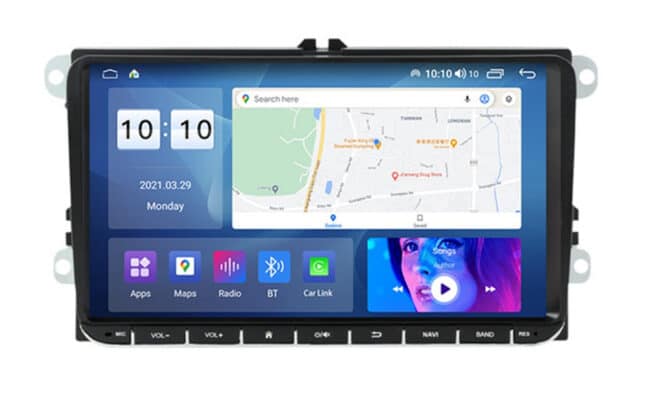
Android all-in-one touchscreen car radios are big. The global car audio market (including advanced Android units) is estimated at $13–15 billion for 2025, with expected growth to $18+ billion by 2032. As part of our APAC group we want to highlight Car Radios.  Not the usual Android tablet technology we cover but it is sizable market driving Android tablets. See our https://kioskasia.org website for more options from China.  In several ways Android card radio tablets are becoming a voice order kiosk for consumers.

Android car radios are modern car head units powered by the Android operating system, offering features like navigation, Bluetooth, Wi-Fi connectivity, and support for Android Auto and Apple CarPlay.  They are designed to replace the stock radios and also to add them into older and newer cars.  They are often Voice Controlled (Google Assistant or Siri for example)

Android Car Radios Overview

  • Android car radios function as in-car tablets, providing access to navigation, streaming apps, advanced audio controls, and integration with smartphones through Android Auto.android+1

  • Modern units allow customization through themes, equalizer settings, and often support both Android and Apple systems, including wireless CarPlay.youtubereddit

  • Key features to look for: minimum 4GB RAM, 32GB storage, fast processor, external microphone for better call quality, GPS, high-quality display, and reverse camera integration.youtube

Buying Guide and Considerations

  • Prioritize reliable brands and scrutinize technical specs to avoid low-quality or fake products.youtube

  • Installation ease varies: some models offer pre-wired harnesses, but may require minor dashboard modifications.reddit

  • Common issues include mediocre sound quality, limited themes, basic radio apps, and possible battery drain if the unit isn’t wired correctly.reddityoutube

Recommended Contact in China

  • We are familiar with Lucky Li with MCXCarradio.  They participate in our APAC group for over a year. Honest, detailed and sincere.
  • Whatsapp – 86-13060624214
  • [email protected]


Lucky Li

Lucky Li

Our Recommendations

  • Fake specs are a problem. What’s advertised is not always what you get.
  • How long to boot up?  15 secs is around max allowed
  • Overheating — heat sinks and fans are useful especially in hot weather
  • How bright?  Rated for a convertible?  QLEDs go up to 1000 nits
  • External Bluetooth connections are good for phone calls
  • Battery drain issues — unit needs to shut ALL THE WAY DOWN
  • 4G RAM, 32 GB SRAM, and Android 10+
  • The smaller the better but it depends on your car and the mounting plastic trim available.
  • Make sure the trim colors match too
  • Some units include dedicated voice command apps that let users operate the radio functions—like turning the screen on/off, switching sources, or choosing presets—just by speaking.

Car Radio Hardware

Typical Android car radio units use hardware similar to mid-range smartphones, but with features specialized for in-car use. Most modern units run Android versions from 9 up to 13, feature 4-8GB of RAM, and offer at least 32GB of internal storage, with quad-core or octa-core processors for smooth performance.

Key Hardware Specifications

  • Processor: Most units offer quad-core or octa-core CPUs; dual-core models tend to lag and are generally not recommended.
  • Memory (RAM): 4GB is considered the minimum for responsive operation; higher-end models feature up to 8GB for multitasking.
  • Internal Storage (ROM): 32GB is the minimum recommended to avoid performance issues; top models feature 64GB or more.
  • Display: Head units range from 7” to 10.1” screens, often IPS or QLED with good touch response and visibility.

Feature Requirements

  • Operating System: Android 9 (Pie) or newer versions like 10, 11, or 12 provide the best balance of stability and app compatibility.
  • DSP: Some units include Digital Signal Processor for enhanced audio quality, which is a preferred feature for audiophiles.
  • Connectivity: Expect Bluetooth, Wi-Fi, GPS, and USB/Type-C ports; many offer wireless Android Auto and CarPlay.

Minimum Specs for Smooth Use
RAM: 4GB or higher is strongly recommended.

Storage: 32GB minimum, with 64GB preferred for app install flexibility.

Processor: Quad-core or octa-core preferred for avoiding lag.

Android Version: At least Android 9 or 10; newer versions offer improved compatibility and security.

Units with less than 2GB RAM or low-end processors frequently experience crashes and slowdowns, so prioritize these specs even for budget purchases. Reading actual user reviews and verifying listed specs (since some sellers exaggerate) is highly recommended

The best Android car radio screens typically reach brightness levels between 600 and 1000 nits, which is bright enough to remain visible under direct sunlight for most driving conditions. IPS screens provide excellent daytime readability and wide viewing angles, while QLED screens offer even greater brightness and color vibrancy, though IPS often outperforms QLED in very sunny environments due to lower reflectance.youtubereddit+1

Screen Technology Comparisons

  • IPS screens: Known for wide viewing angles and strong sunlight performance, with typical brightness around 600-800 nits.xyingly

  • QLED screens: Offer vivid colors and peak brightness up to 1000 nits; ideal for users wanting stunning visuals, although sunlight glare may impact viewability compared to IPS panels.reddit+1

Real-World Performance

  • Quality units display full brightness with no viewing issues in convertibles or vehicles with non-tinted windows, giving clear visuals even in direct sun.reddityoutube

  • Both screen types usually include brightness adjustment features and night mode options to reduce glare during nighttime driving.youtube+1

To ensure a screen is bright enough for any environment, look for specifications listing a minimum of 600 nits and confirm user reviews for outdoor or convertible use.

More Car Radio Android articles

Kiosk Asia Contact

Contact Kiosk Asia

kiosk asia

kiosk asia

The easiest contact is [email protected]. Proton usually categorizes .CN domains as spam so it can take more than one. LinkedIn is another. Please include the company name and contact information. There is no charge to be listed. Companies we have spoken with and reviewed are in the “Vetted” category.  My mobile is 720-324-1837 and you can find me on WhatsApp. I can converse in Chinese (or other languages) there very easy.


通常,中国公司都热衷于向我们出售东西。我们不购买产品。  我们可以帮助您的公司与市场进行沟通。我们可以将您添加到每周电子邮件通信中,您可以参与 WhatsApp APAC 群组以及免费列表数据库。  发送电子邮件至 [email protected],或者您可以拨打 720-324-1837 发短信,或通过 LinkedIn (https://www.linkedin.com/in/kiosk) 发送消息 - 谢谢!

일반적으로 중국 기업은 우리에게 무언가를 판매하는 데 집착합니다. 우리는 제품을 구매하지 않습니다.  우리는 귀하의 회사를 시장에 알리는 데 도움을 드릴 수 있습니다. 주간 이메일 서신에 귀하를 추가할 수 있으며 WhatsApp APAC 그룹 및 무료 목록 데이터베이스에도 참여할 수 있습니다.  [email protected]로 이메일을 보내거나 720-324-1837로 문자를 보내거나 LinkedIn(https://www.linkedin.com/in/kiosk)을 통해 메시지를 보낼 수 있습니다. -- 감사합니다!

Thông thường, các công ty Trung Quốc luôn tập trung vào việc bán cho chúng ta thứ gì đó. Chúng tôi KHÔNG mua sản phẩm.  Chúng tôi có thể giúp truyền thông công ty của bạn tới thị trường. Chúng tôi có thể thêm bạn vào danh sách trao đổi email hàng tuần và bạn có thể tham gia vào nhóm WhatsApp APAC cũng như cơ sở dữ liệu Danh sách miễn phí.  Gửi email tới [email protected] hoặc bạn có thể nhắn tin theo số 720-324-1837 hoặc gửi tin nhắn qua LinkedIn (https://www.linkedin.com/in/kiosk - Cảm ơn!
通常、中国企業は私たちに何かを売ることに執着しています。商品の買取は行っておりません。  私たちはあなたの会社を市場に伝えるお手伝いをします。毎週の電子メール通信にあなたを追加したり、WhatsApp APAC グループや無料リスティング データベースに参加したりすることができます。  [email protected] に電子メールを送信するか、720-324-1837 にテキスト メッセージを送信するか、LinkedIn 経由でメッセージを送信してください (https://www.linkedin.com/in/kiosk -- ありがとうございます!)


Outdoor Kiosk – A View from China

Outdoor Kiosks

One of our APAC members is Best Kiosk. Kitty is the main rep and here is a nice article by her on outdoor kiosks


Kiosks have become very helpful tools for businesses. Whether placed indoors or outdoors, they are a flexible, affordable, and customer-friendly option for walk-in customers.

When comparing indoor vs outdoor kiosks, there are several advantages and disadvantages to consider. Deciding which one will serve you better will require proper research.

This article will help you understand the differences between indoor and outdoor kiosks and the best option for your business.

Overview of Kiosk Types

Kiosks are generally categorized into two types; indoor and outdoor, with each serving specific needs, environments, and business objectives.

Indoor kiosks are all about aesthetics and integration into indoor controlled spaces. Outdoor kiosks, on the other hand, are durable, highly visible, and convenient in open-air environments. Let’s explore these two types of kiosks.

Indoor Kiosks

Indoor kiosks are usually stationed in closed spaces within controlled environments, such as malls, airports, or large retail stores. They are ideal for businesses that need a compact yet visually appealing setup to attract foot traffic.

Indoor kiosks can be used for several things, including selling beverages, accessories, and fashion products. They are also used as snack outlets, coffee stations, and smoothie bars.

Apart from retail, they also serve as information centers for customer service, ticketing services, and self-service payment machines.

Outdoor

Outdoor kiosks are perfect for open-air environments and allow businesses to reach customers in public spaces.

Outdoor kiosks are explicitly designed to resist environmental factors while maintaining their functionality and appeal.

Design ideas most often use weather-resistant materials, including steel, aluminum, and glass. Bold coloring and signage make them easy to recognize, while ergonomic layouts make them easy for customers and staff.

Key Differences Between Indoor and Outdoor

Indoor and outdoor kiosks are two very valuable tools for businesses. Their designs, features, and functionality differ greatly because of their intended environments.

Understanding the differences between indoor and outdoor will help you determine the correct type to suit your needs.

Environmental Durability

One of the most fundamental differences between indoor and outdoor kiosks is their environmental resistance.

Outdoor kiosks are specifically designed to bear extreme climatic conditions in the form of rain, heat, and strong winds. They are built using heavy-duty materials like reinforced steel, or aluminum that secure the kiosk and its items from damage.

Outdoor food kiosks, for instance, are located in parks and must have weatherproof roofing, good drainage systems, and UV-resistant coatings. These features enable them to function properly and look well-maintained even after a long time.

Indoor kiosks, however, have no such need for protection since they are stationed in controlled environments. Although they could be made from lightweight materials like polished wood or glass for their cosmetic appeal, these kiosks are designed more so for style and branding than durability.

Design and Aesthetics

Locations largely influence the design of a kiosk. Outdoor design ideas focus on visibility and functionality. Also, many modern outdoor kiosks have extensions like roofs and heating mechanisms for better comfort in extreme weather conditions.

Indoor kiosks primarily work on the integration of design with their surroundings. Their designs are mostly sleek, modern, and minimalistic to promote the aesthetic experience of their environment.

Sophisticated indoor kiosks provide facilities with advanced lighting, digital screens, and high-end materials to offer an appealingly professional ambiance.

Functionality and Access

Indoor and outdoor kiosks also differ based on their level of access and functionality.

Indoor kiosks are usually smaller, and their applications are specialized for things like retail sales, ticketing, or information services. They are sometimes confined to fixed business hours imposed by their host facility, like a mall or airport.

Outdoor kiosks, however, are for versatility and convenience. They are put in places where many people pass through a lot to attract impulsive buyers. They are also not limited by building regulations or operating hours.

Advantages of Indoor Kiosks

Indoor kiosks enable businesses to operate efficiently in controlled environments while maintaining a high level of customer engagement and efficiency.

There are benefits that make them perfect for certain types of businesses, and some of them are:

Controlled Environment Usage

One of the major advantages of indoor kiosks is that they operate in a controlled environment.

Since these kiosks are indoors, they do not face challenging weather-related factors like rain, strong wind, heat, or cold. This makes them ideal for businesses dealing in perishable or even luxury goods that can be affected by environmental factors.

With indoor kiosks, businesses will spend less on weatherproofing or maintenance over long periods of time. This constitutes a key advantage in the indoor vs outdoor kiosks debate, where indoor setups stand out in providing a more predictable operational structure.

Greater Customizability

With indoor kiosks, you can customize your space based on the company and the kind of customers you want to attract. Since indoor kiosks don’t require weatherproof materials, more attention can be diverted to the aesthetic value and design of the kiosk.

Indoor kiosks usually have modern finishes, such as polished wood or glass, combined with interactive displays to engage customers. This full level of customization makes indoor kiosks ideal for immersive brand experiences.

Companies can play with layouts, colors, and lighting to invoke specific emotions or showcase new products.

Advantages of Outdoor Kiosks

Outdoor kiosks have become one of the most sought-after options among businesses looking to capture a bigger audience. Unlike indoor kiosks, outdoor ones are designed for maximum visibility, durability, and convenience in open spaces.

When looking at indoor vs outdoor kiosks, these benefits show how outdoor kiosks can fit you best.

Extended Accessibility

One advantage of outdoor kiosks is that they are easily accessible to customers. Unlike indoor kiosks, outdoor kiosks can remain open for longer, catering to the early riser and the late-night shopper.

Outdoor food kiosks set up on busy streets or concert venues, for instance, can serve consumers beyond regular working hours. Their ease of access makes them perfect for people who rely on impulse buying, like food kiosks or beverage stands.

Outdoor kiosks also have flexible layouts to make it easy and quick to conduct transactions on the go.

Durable Build for Harsh Conditions

The durable components used to build outdoor kiosks are an added advantage. These kiosks are specifically structured to endure extreme weather conditions, including heavy rain and heat.

Constructed using weather-resistant materials, outdoor kiosks are designed to remain functional and maintain their appearance over time. For instance, an outdoor food kiosk design will have features such as insulated panels, waterproof roofing, and sturdy frames.

Also, outdoor design ideas have specific features like anti-corrosion coatings and reinforced structures that guarantee long performance. These features lead to lower incidences of repairs or replacements, hence providing businesses with a cost-effective tool.

Choosing the Right Kiosk for Your Business

How Real-time Alerts Work

Given the question of indoor vs outdoor kiosks, businesses have to weigh their goals against operational environments and target audiences. The choice between an indoor or outdoor kiosk can have a great deal of influence on business success.

Assessing Location and Environment Needs

First, in choosing the right kiosk, you have to make an assessment of the location and environmental conditions for the operation of the kiosk.

Outdoor kiosks can offer outstanding visibility and accessibility, especially for businesses aiming to target open-air venues, public parks, or streets. These kiosks are designed with long-lasting materials and can endure extreme weather conditions.

Indoor kiosks, on the other hand, thrive best under controlled conditions found in malls, airports, and office complexes. These places have a consistent flow of people, making indoor kiosks ideal for businesses that operate in such environments.

Indoor kiosks also benefit from their host facilities for infrastructure such as air conditioning, security, and power supply, hence reducing operational costs.

Considering User Engagement and Accessibility

Outdoor kiosks are set up in very strategic positions where they are easily seen to attract different kinds of customers. Their flexible designs propel impulse buyers by making transactions easy and fast.

Indoor kiosks can engage customers in a controlled environment, whereas outdoor kiosks can’t really give a personalized experience to the users. This is done by using interactive screens, self-service options, and sleek displays, among other technologies.

For instance, an indoor kiosk with touchscreens can be utilized by a technology company releasing a new gadget. This feature will give customers hands-on use, thereby arousing interest and perpetuating sales of the product.

Accessibility also tends to take center stage here. Outdoor kiosks usually operate for longer hours, while indoor ones are generally limited by the time their host facilities are open.

You must, therefore, consider these differences to ensure that kiosks align with your customer’s behavior and expectations.

Conclusion

Getting either an indoor or outdoor kiosk depends on your business needs, customers, and the operating environment. Start browsing outdoor kiosk design ideas or developing a custom indoor experience to move your business to the next level.

Reach out to an expert today for a kiosk solution suitable for your business.

More Outdoor Kiosk Resources

  • An entirely touchless drive-thru on the horizon | ICSC: International Council of Shopping Centers
Author: Staff Writer   Craig Keefner — With over 40 years in the industry and technology, Craig is widely considered to be an expert in the field. Major early career kiosk projects include Verizon Bill Pay kiosk and hundreds of others. Craig helped start kioskmarketplace and formed the KMA. Note the point of view here is not necessarily the stance of the Kiosk Association or kma.global

Starbucks Kiosk – Rumors are South Korea and Japan Coming

Starbucks Kiosk

Starbucks announced on Monday a plan to implement the coffee franchise’s first self-order kiosks in select stores across tourist-heavy areas in South Korea and Japan.

The kiosks are aimed at enhancing the customer experience by reducing wait times and streamlining the ordering process.

In South Korea, the kiosks will debut at the Starbucks Korea branch in Myeong-dong, one of Seoul’s most crowded shopping districts, visited by international tourists. Customers are expected to be able to use the machines as early as next month.

Starbucks Japan is also set to implement kiosks at around the same time. Unlike Starbucks’ traditional service model that emphasizes human connection, the technology aims to make ordering easier, while also appealing to customers who prefer minimal interaction.

Video Story on YouTube

Yes, there are official statements and announcements from Starbucks regarding the introduction of self-service kiosks.

  • Starbucks Korea officially announced that it will begin installing self-service kiosks at approximately 10 of its cafes as part of a trial program, starting with two high-traffic locations in Seoul’s Myeong-dong district. The rollout is specifically targeted at tourist and office districts, including Jeju Island, and is set to begin in late May 2025. This marks a significant shift from Starbucks’ traditional model of face-to-face customer interaction123.

  • Starbucks Korea spokesperson explained the rationale:

    “We’ve seen a sharp increase in international customers, especially in tourist zones, and language differences have made communication difficult. Kiosks help address this while also appealing to customers who prefer non-verbal ordering.”3

  • The company has confirmed that the kiosks are being introduced on a trial basis, and the move is partly in response to the growing number of foreign tourists and the associated language barriers236.

  • Starbucks Japan is also launching kiosks at select locations around the same time, reflecting a coordinated effort in both countries23.

  • This is the first time Starbucks has used self-service kiosks for ordering and serving customers, breaking from its longstanding principle of direct, personalized interaction23.

In summary, Starbucks has made official public announcements about the launch of self-service kiosks in Korea and Japan, with clear statements from company representatives and widespread media coverage confirming the initiative1236.

Starbucks Implementation: A History

Starbucks has discussed and experimented with kiosk formats multiple times throughout its history, but only recently has it formally announced the rollout of self-service kiosks.

Historical Mentions and Experiments

  • Licensed Kiosks in Supermarkets:
    Starbucks has had licensed kiosks in grocery stores and supermarkets for decades. For example, in 2009, Ahold announced closures and rebranding for 43 of its licensed Starbucks kiosks in Stop & Shop and Giant supermarkets3. These were not self-service machines but rather staffed counters operating under the Starbucks brand inside larger retail environments.

  • Airport and Non-Traditional Locations:
    Since at least 1991, Starbucks has opened licensed stores in non-traditional locations such as airports, which often operate as kiosks or small-format counters12. These are typically staffed but are designed for convenience and high-traffic areas.

  • Drive-Thrus and Vending Machines:
    Starbucks has continually expanded convenience formats, including drive-thru locations since 1994 and, at times, has discussed or piloted Starbucks-branded vending machines for ready-to-drink products46. However, these vending machines are distinct from the concept of a full-service, order-taking Starbucks kiosk.

Recent Developments: Self-Service Kiosks

  • First-Ever Self-Service Kiosks (2025):
    In May 2025, Starbucks announced it would introduce its first-ever self-service kiosks in Korea and Japan. This marks the first time the brand is using machines to serve customers directly, breaking from its tradition of exclusively staffed service counters. These kiosks allow customers to order and receive drinks without interacting with a barista9.

“Starbucks is introducing self-service kiosks in Korea and Japan, marking the first time the brand has used machines to serve customers9

More Starbucks resources

National Restaurant Association Kiosk NRA

Tradeshow Restaurant

National Restaurant Association Kiosk Trade Show

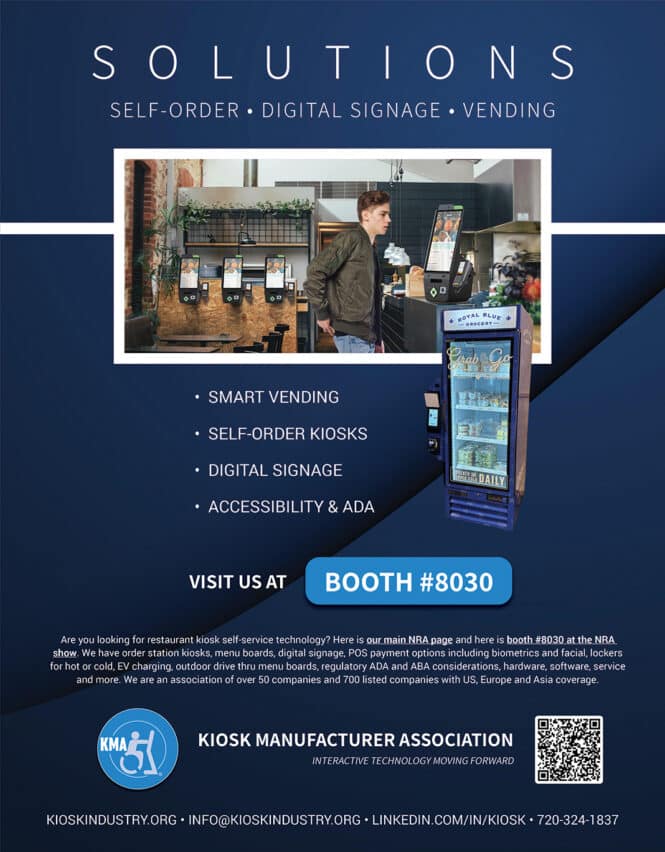
Are you looking for restaurant kiosk self-service technology? Here is our main NRA page and here is floorplan  #8030 at NRA show — Order station kiosks, menu boards, digital signage, POS payment options including biometrics and facial, lockers for hot or cold, EV charging, outdoor drive thru menu boards, regulatory ADA and ABA considerations, hardware, software, service and more. We are an association of over 50 companies and 700 listed companies with US, Europe and Asia coverage.

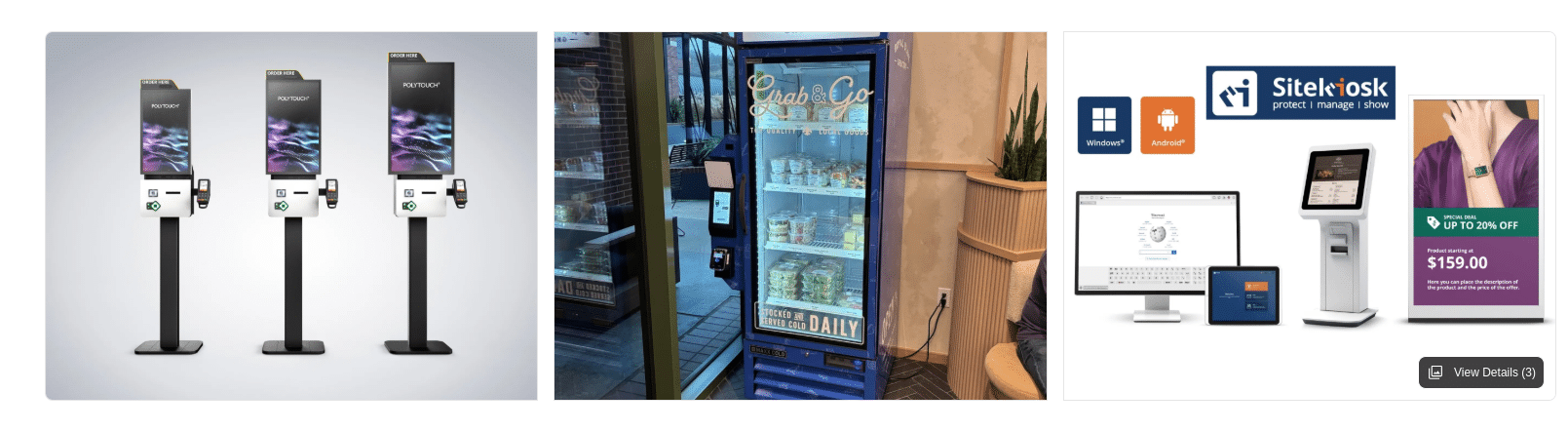
A collage of vending machine kiosks, highlighting self-service machines, a refrigerated drinks display with Grab & Go signage, and a digital kiosk featuring Windows and Android systems—all showcased at 9.00 as seen at the National Restaurant Associations event.

2025 Edition

Galleries


Companies

asia computer companies

Companies

Asia (China and Taiwan) Computers

Others

  • Advantech
  • Lenovo
  • iBase

Among the largest Asian technology companies, several specialize in computer hardware and related technologies. Here are the key players that focus primarily on computers and computer-related products:

Lenovo (China) — World’s largest PC vendor by market share (23.5% as of Q3 2023)7

Asus (Taiwan) Major computer hardware manufacturer

Acer (Taiwan) Significant player in the PC market (6.4% market share as of Q3 2023)7

Dell Technologies (United States, with significant presence in Asia) – Third-largest PC vendor globally (15.0% market share)7

HP Inc. (United States, with significant presence in Asia) – Second-largest PC vendor globally (19.8% market share)7

Samsung Electronics (South Korea) – laptops

LG Electronics (South Korea) – Manufactures laptops under the Gram series7

Huawei (China) – Expanding presence in the computer market

MSI (Micro-Star International) (Taiwan) – Specializes in gaming laptops and desktops

Gigabyte Technology (Taiwan) – Known for computer hardware and gaming laptops

These companies are at the forefront of computer technology in Asia, offering a wide range of products from consumer laptops to high-performance gaming systems and business-oriented machines. Their specialization in computers has allowed them to compete effectively in the global market and drive innovation in the industry.